Português
 English
Verification SMS
OTP codes by SMS: our API generates the code, sends it to your customer and checks it for you.
- Home »
- Business SMS »
- Verification SMS


This demo shows what your customer sees and what our API answers at each step. Nothing is sent here: it is just to show the flow.
We sent a code by SMS to 84 *** 4567.
Press "Send code" to begin.
To test for real without using credits, use a Sandbox key: the response includes the code.
Your system does not need to generate or store codes. One request sends the code, another checks what the customer typed.
On sign-up, login or payment, your system calls POST /v1/sms/otp with the number.
The API creates a random code and sends it by SMS at once, ahead of the queue. Only the hash is stored.
The customer reads the SMS and types the code on your website or in your app.
Your system calls POST /v1/sms/otp/{id}/verify and gets valid, the status and the attempts left.
# 1. POST /v1/sms/otp
201 Created
{ "data": { "id": "otp_3f9a1c...", "status": "pending",
            "to": "25884****567", "attempts_left": 5,
            "expires_at": "2026-11-20T09:35:00+02:00" } }

# 2. POST /v1/sms/otp/otp_3f9a1c.../verify
200 OK
{ "data": { "status": "verified", "valid": true,
            "attempts_left": 4 } }
Choose the code length, how long it is valid and how many attempts the customer gets. If you don't, we use 6 digits, 5 minutes and 5 attempts.
Everything an SMS verification needs, ready to use: from the random code to the check, with protection against guessing and abuse.
Two requests are enough. Every field except the number is optional.
number: the customer's mobile number in Mozambique and Angola, with or without the country code.length: 4 to 8 digits. Default: 6.expires_in: the minutes the code is valid, 1 to 60. Default: 5.max_attempts: the attempts, 1 to 10. Default: 5.text: your text, with {code} once and, optionally, {minutes}.sender: an approved Sender ID. Without it, the free NETMSG is used.To drop a code, use POST /v1/sms/otp/{id}/cancel. To see its status, GET /v1/sms/otp/{id}.
curl https://api.interweb.co.mz/v1/sms/otp \
  -H "Authorization: Bearer YOUR_API_KEY" \
  -H "Content-Type: application/json" \
  -H "Idempotency-Key: signup-7f3a9c" \
  -d '{"number": "+258841234567", "length": 6,
       "expires_in": 5, "max_attempts": 5,
       "text": "Your code is {code}. Valid for {minutes} min."}'
curl https://api.interweb.co.mz/v1/sms/otp/OTP_ID/verify \
-H "Authorization: Bearer YOUR_API_KEY" \
-H "Content-Type: application/json" \
-d '{"code": "482913"}'<?php
function api_call(string $path, array $body): array {
$ch = curl_init('https://api.interweb.co.mz' . $path);
curl_setopt_array($ch, [
CURLOPT_RETURNTRANSFER => true,
CURLOPT_POST => true,
CURLOPT_HTTPHEADER => ['Authorization: Bearer YOUR_API_KEY',
'Content-Type: application/json'],
CURLOPT_POSTFIELDS => json_encode($body),
]);
return json_decode(curl_exec($ch), true)['data'];
}
// 1. Send the code
$otp = api_call('/v1/sms/otp', ['number' => '+258841234567']);
$_SESSION['otp_id'] = $otp['id'];
// 2. Check the code the user typed
$check = api_call('/v1/sms/otp/' . $_SESSION['otp_id'] . '/verify',
['code' => $_POST['code']]);
if ($check['valid']) {
// phone number confirmed
}
Whenever you need to be sure the number really belongs to the customer. All of these examples fit in a single SMS.
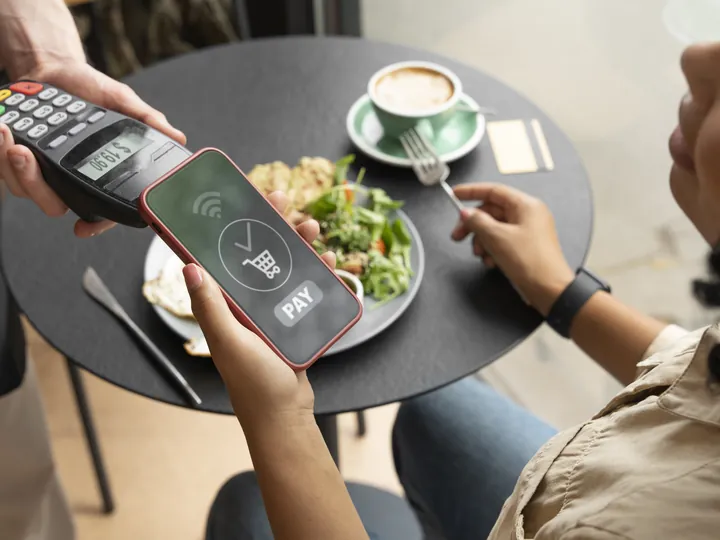
Confirm payments, withdrawals and transfers before approving them. One code per transaction, with a short expiry.

Confirm the number of new sign-ups and protect logins with a second step, with no extra apps.

Confirm bookings, check-ins and the hand-over of orders to the right person.
With these precautions, the code arrives fast, fits in one SMS and is hard for the wrong person to use.

SMS cannot receive replies: customers type the code on your website or app, and never reply to the message.
Each code costs the credits for its SMS, usually one, and the check costs nothing. The price goes down with the number of credits you buy at once.
| SMS verifications | Price per code | Total |
|---|---|---|
| 1,000 | $0.0250 | $25.00 |
| 5,000 | $0.0225 | $112.52 |
| 10,000 | $0.0213 | $212.54 |
| 50,000 | $0.0175 | $875.18 |
| 100,000 | $0.0150 | $1,500.30 |
| 250,000 | $0.0138 | $3,438.19 |
With 1 SMS per code. Minimum of 1,000 credits per purchase.

Articles to help you choose, set up and get the most from this service

SMS has an advantage no other channel has here: it reaches everybody, without depending on internet access, an installed app or a modern phone. And it is read within…
Read the article
The short answer: a Sender ID is a sender with your brand name. The person receiving the SMS sees that name, for example PADARIA SOL, instead of a number…
Read the article
The short answer: in Meu Interweb, open the SMS page, go to Senders and click “Request a sender with my name”. Choose the name (up to 5 in one…
Read the article
The most frequent questions about OTP codes by SMS
It is a one-time password sent by SMS to confirm that the number really belongs to the customer. It is used on sign-up, login, payment or when changing important details.
The code SMS uses credits like any other SMS: one credit per part, from $0.0138. The default text fits in a single SMS. Checking the code uses no credits.
Each wrong attempt counts, and the response says how many are left. Once the limit is reached, which you set from 1 to 10 (5 by default), the code fails and a new one is needed.
Yes. With a Sandbox key, no SMS is sent and nothing is charged, and the send response includes the code itself, so you can test the check in your system.
No. Our API generates the code, sends it by SMS and checks it. Your system only keeps the id it gets back and sends us the code the customer typed.
By default, 5 minutes. You can choose 1 to 60 minutes in the expires_in field. After that, the check answers that the code has expired.
Each account can request at most 5 codes per number per hour. A new code for the same number cancels the previous one. The code is stored only as a hash and the check runs in constant time.
Yes. Put your Sender ID in the sender field. It costs USD 75.02 per name and per country, and the review takes up to 48 business hours. Without it, the code is sent with the free NETMSG.

Get Interweb's Fast and Secure Web Hosting Plan with a FREE Domain!